Stop making loose AI clips. Build the whole video.
Most Seedance pages give you a prompt box and a download button. This one is different. Start with a storyboard, keep the same character across shots, generate clips with Seedance, then cut captions, versions and exports in the browser.
Early list members will get the first workflow build: storyboard, character references, Seedance clip slots and browser timeline editing.
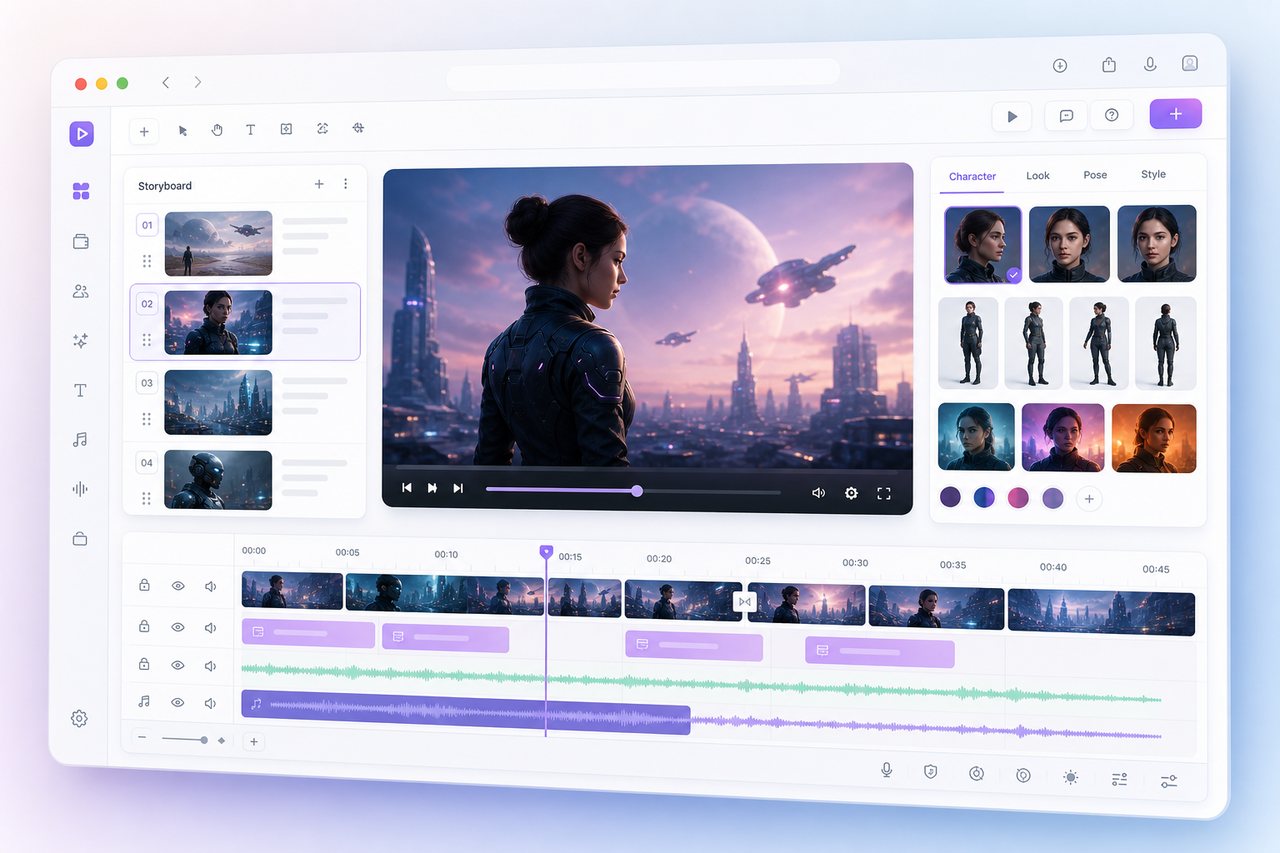
The advantage is the workflow, not another model wrapper.
Seedance is strong at motion. SeeDream is useful for references and first frames. OpenReel gives us a real editing surface. Put them together and the product feels closer to a small video studio than a generator page.
Plan the video like a director.
Write a shot list, create first frames, lock the character and visual style, then send the right scene into Seedance. Less guessing. Fewer wasted generations.
Keep working without downloading files.
Generated clips land in a browser timeline. Trim bad starts, reorder scenes, add captions, make language versions and export the final cut from the same project.
What the first version is built around.
A practical pipeline for ads, product demos, Shorts and multilingual social videos.
Seedance shot slots
Text-to-video and image-to-video clips are saved as scenes, not scattered downloads.
SeeDream first frames
Create references, product angles and scene boards before motion generation starts.
Character memory
Reuse the same person, outfit, mood and brand look across multiple shots.
Language versions
Turn one video plan into English, Spanish, Japanese or Chinese caption and voiceover directions.
OpenReel-based timeline
Trim, arrange, caption and export in the browser. No desktop install. No extra editor just to finish the job.
Private projects
Your prompts, uploads and generated clips stay in your project. We are not building a public feed by default.
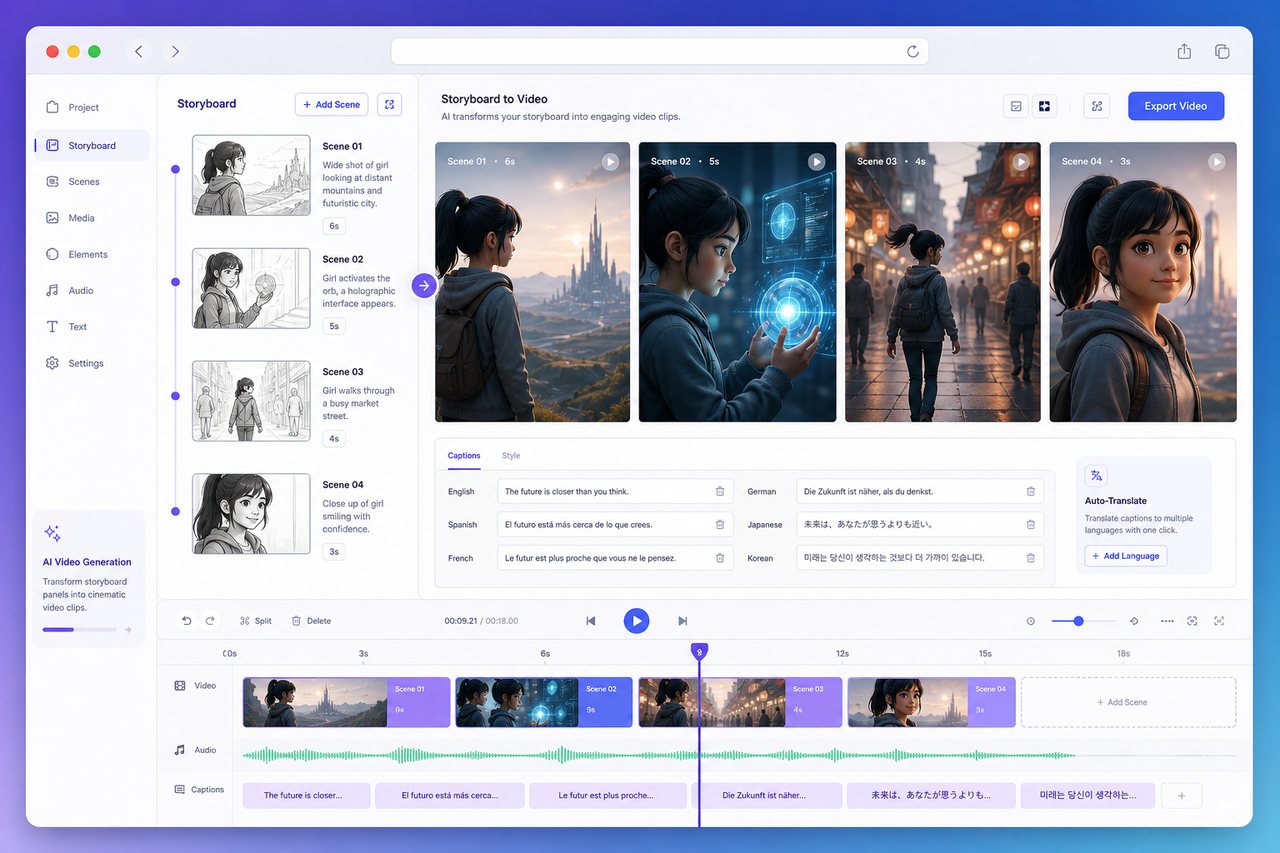
From one idea to a finished cut.
A useful AI video usually needs more than one lucky clip. It needs a beginning, a middle, a character, a pacing pass and sometimes five language versions.
Product hook, camera move, mood, length and target platform.
Use SeeDream for first frames, products, people and visual style.
Turn each scene into motion while keeping references attached.
Finish the video in the browser timeline and make localized versions.
Where this beats plain generator sites.
The promise is simple: fewer dead-end clips, more finished videos.
This is being built like a video workspace, not a weekend demo.
The first release is intentionally focused: project folders, reference images, Seedance shot slots, a browser timeline and clear export paths. We are also keeping the boring but important pages public: privacy, terms, roadmap and contact.
Projects are private by default. No public showcase feed unless you choose to publish.
Early access means workflow testing, not a magic all-in-one promise.
OpenReel gives the editor a real timeline surface instead of a fake preview box.
Storyboard, character references, multilingual cuts and export presets come first.
Questions people ask before joining.
Is this an official Seedance site?
No. It is an independent workflow product built around Seedance, SeeDream and browser editing.
Why not just use CapCut?
CapCut is great after you have footage. We want the planning, image references, AI video shots and final edit to live together.
What will early users get?
Access to the first private build and a chance to shape the storyboard, character and timeline workflow before public launch.
Will it support teams and brands?
That is the plan. Reusable products, characters, styles and language versions matter most for repeat video work.
Want the first private build?
Leave your email if you want a Seedance workflow that can plan shots, remember characters, create language versions and finish the edit in the browser.
No spam. We will only send product access and important launch notes.
Ads, product videos and launch clips.
Shorts, reels and story scenes.
Brand characters and reusable references.
One idea, multiple language cuts.